
0
  • Courses
  • Jobs
    • UK Visa Sponsorship & PSW Jobs
    • India Freshers Jobs
  • Tutorials
    • C Programming
    • Java
    • Python
    • C#
    • SQL
    • HTML
    • PHP
    • SQL Server
  • Blog
  • Tools
    • What is My IP Address?
    • Password Generator
  • Content Writing
  • Blogging
  • General
  • Analytics
  • How To
  • .NET
  • ASP.NET
  • Delphi
  • Excel
  • Outlook
  • Powerpoint
  • OutSystems
  • PowerShell
  • JavaScript
  • Windows
Developer Publish
0
Developer Publish
  • Courses
  • Jobs
    • UK Visa Sponsorship & PSW Jobs
    • India Freshers Jobs
  • Tutorials
    • C Programming
    • Java
    • Python
    • C#
    • SQL
    • HTML
    • PHP
    • SQL Server
  • Blog
  • Tools
    • What is My IP Address?
    • Password Generator
0

No products in the cart.

Developer Publish > Google > Gmail > Setup Gmail Account
Gmail

Setup Gmail Account

Gmail 220 Views 5 Min Read

In this post, you’ll learn how to setup your Gmail account so that you can start sending and receiving emails and use the Gmail features.

How to set-up a Gmail account?

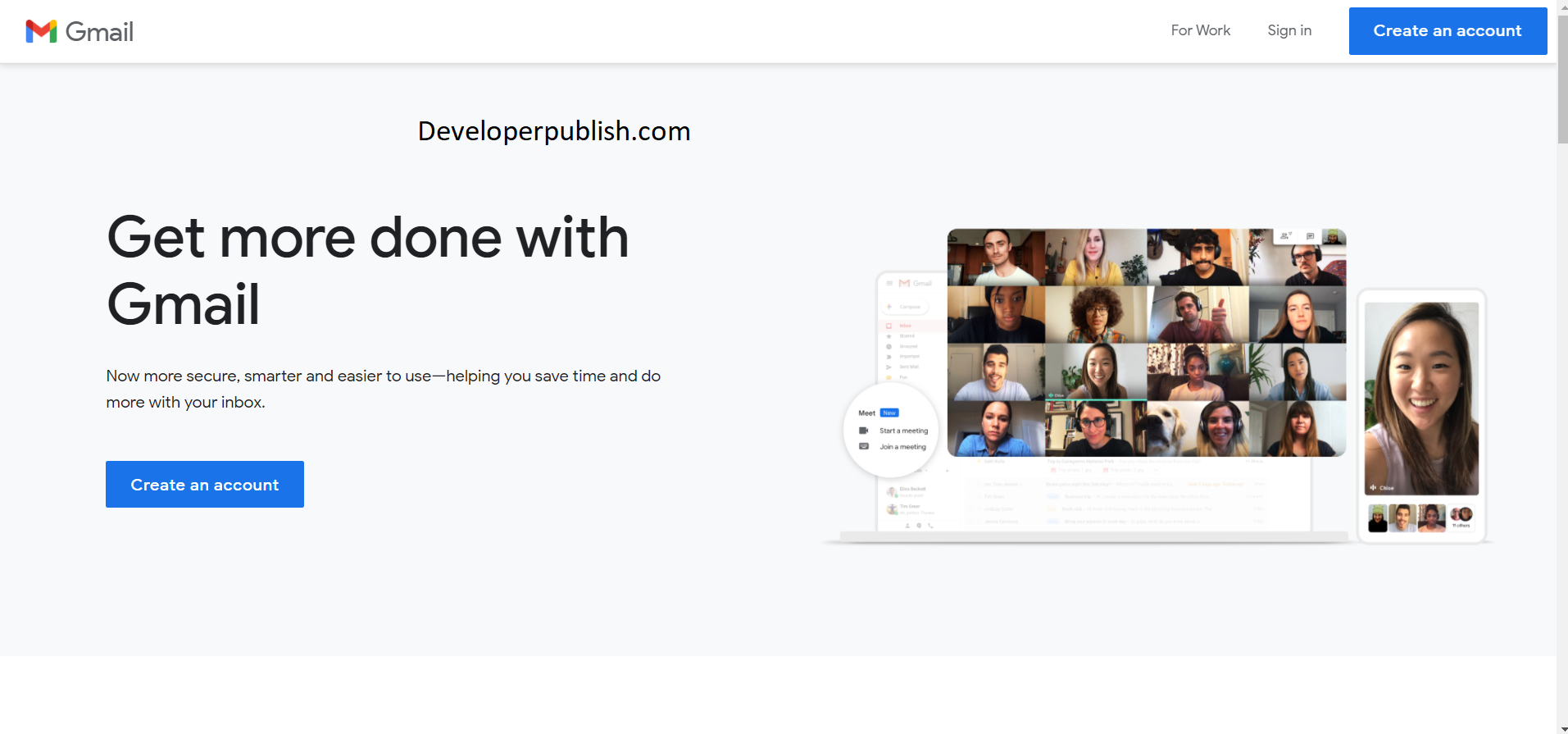
Creating a Gmail account is too easy. You can create your account by signing in at https://www.google.com/intl/en_in/gmail/about/

Here is the step by step guide to create your Gmail account:

  • Click the above link and click the create account option.
Setup Gmail Account
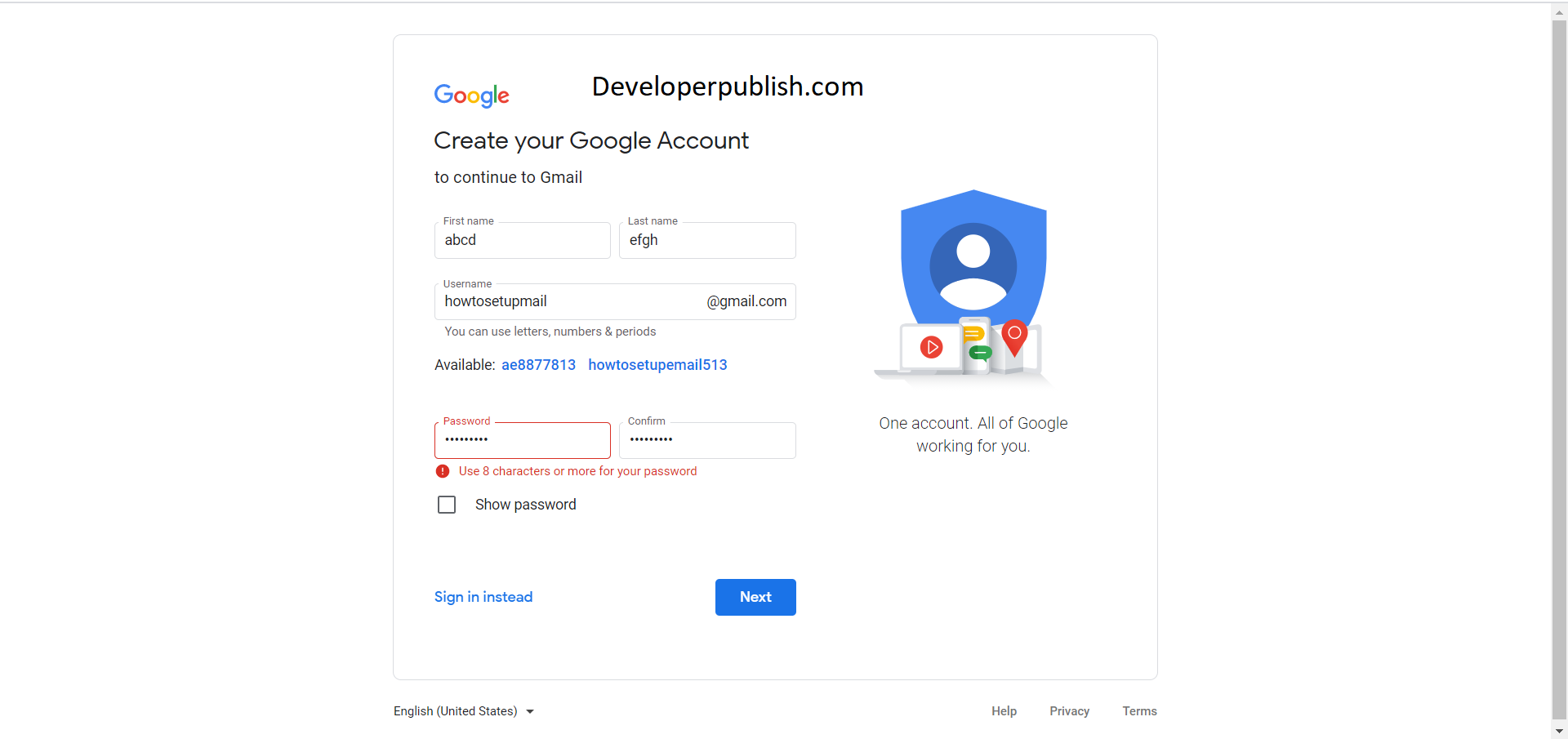
  • A new page follows up, where basic details like the first name, last name, the username which is your Gmail ID, and password.
Setup Gmail Account
  • Fill in the required details and click next.
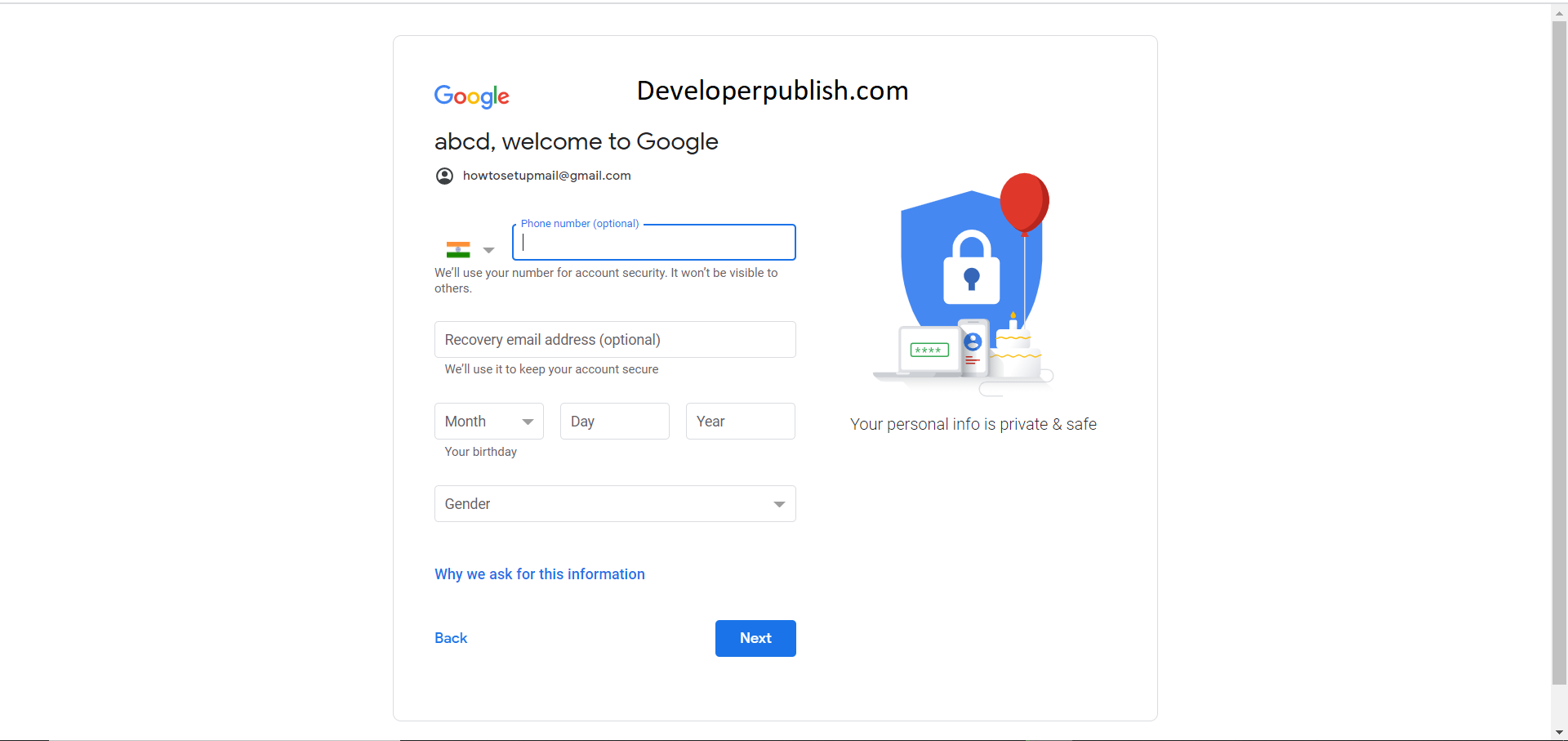
  • Following this, enter your phone number (optional), secondary (optional), email ID, date of birth, gender, and click next.
Setup Gmail Account
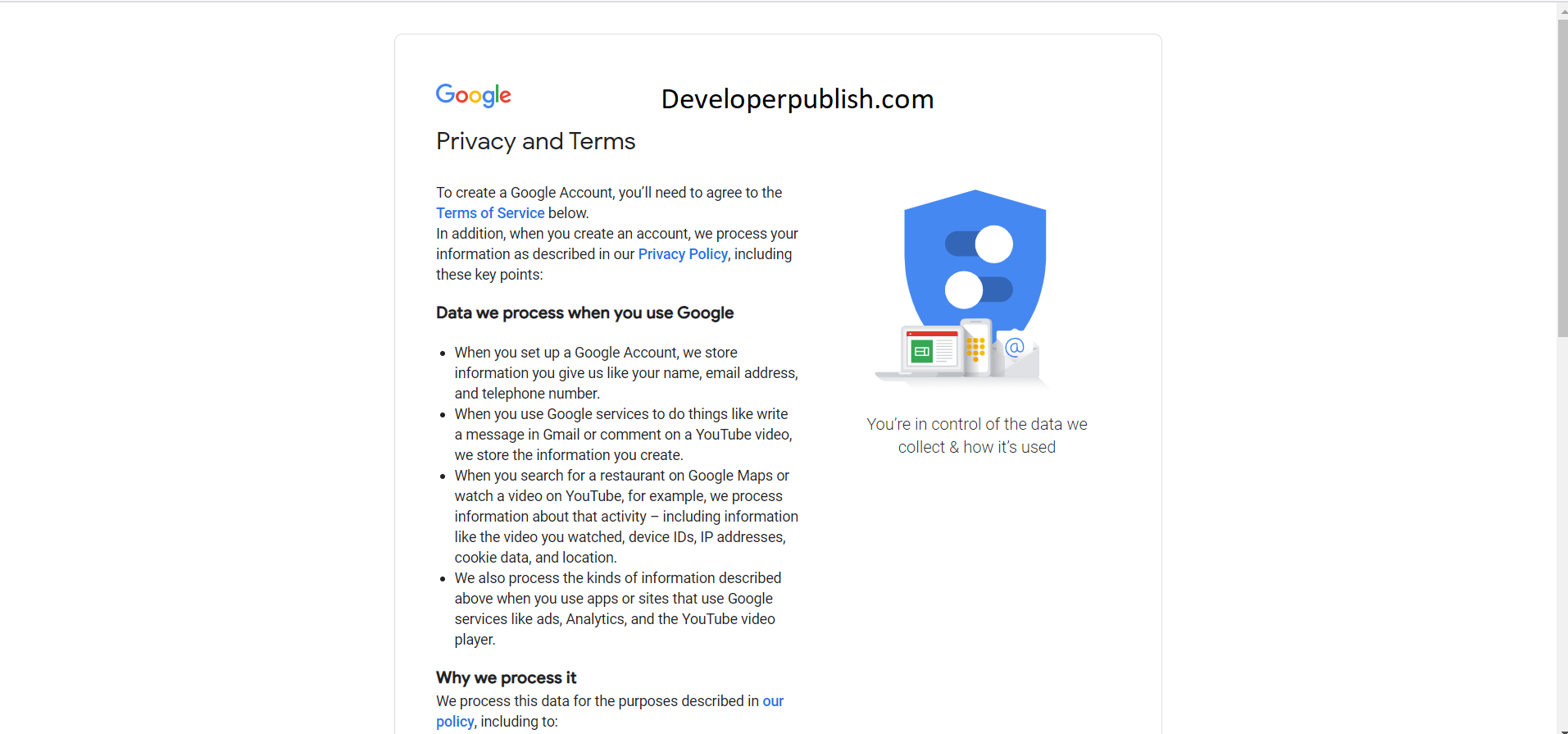
  • The next screen is the privacy and terms. Click I accept and that’s it, you have successfully created your Gmail account.
Setup Gmail Account

Signing into Gmail account after account creation.

  • Click this link, https://www.google.com/intl/en_in/gmail/about/ and click Sign in.
  • In the email section, enter your email address and click next.
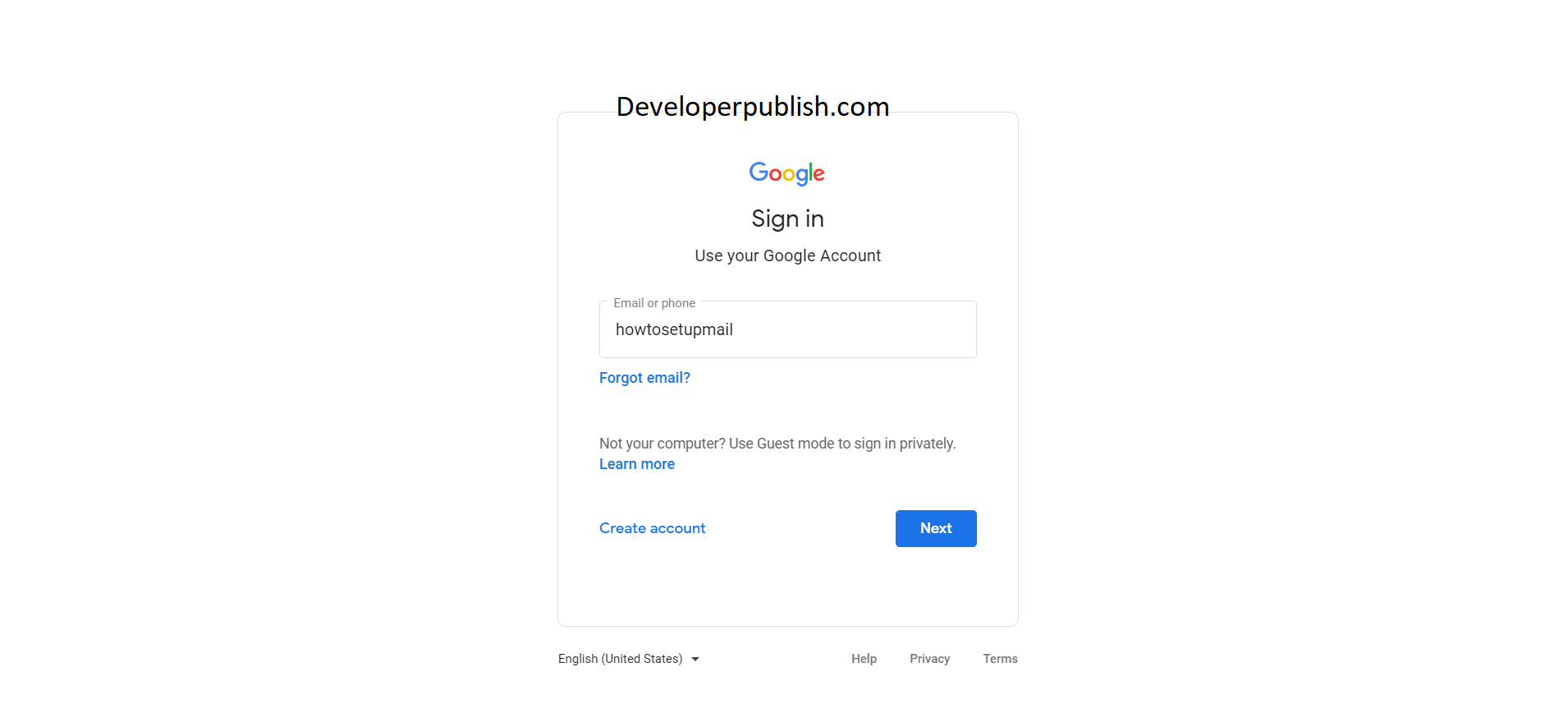
Setup Gmail Account
  • Enter your password on this page and click login or press enter.
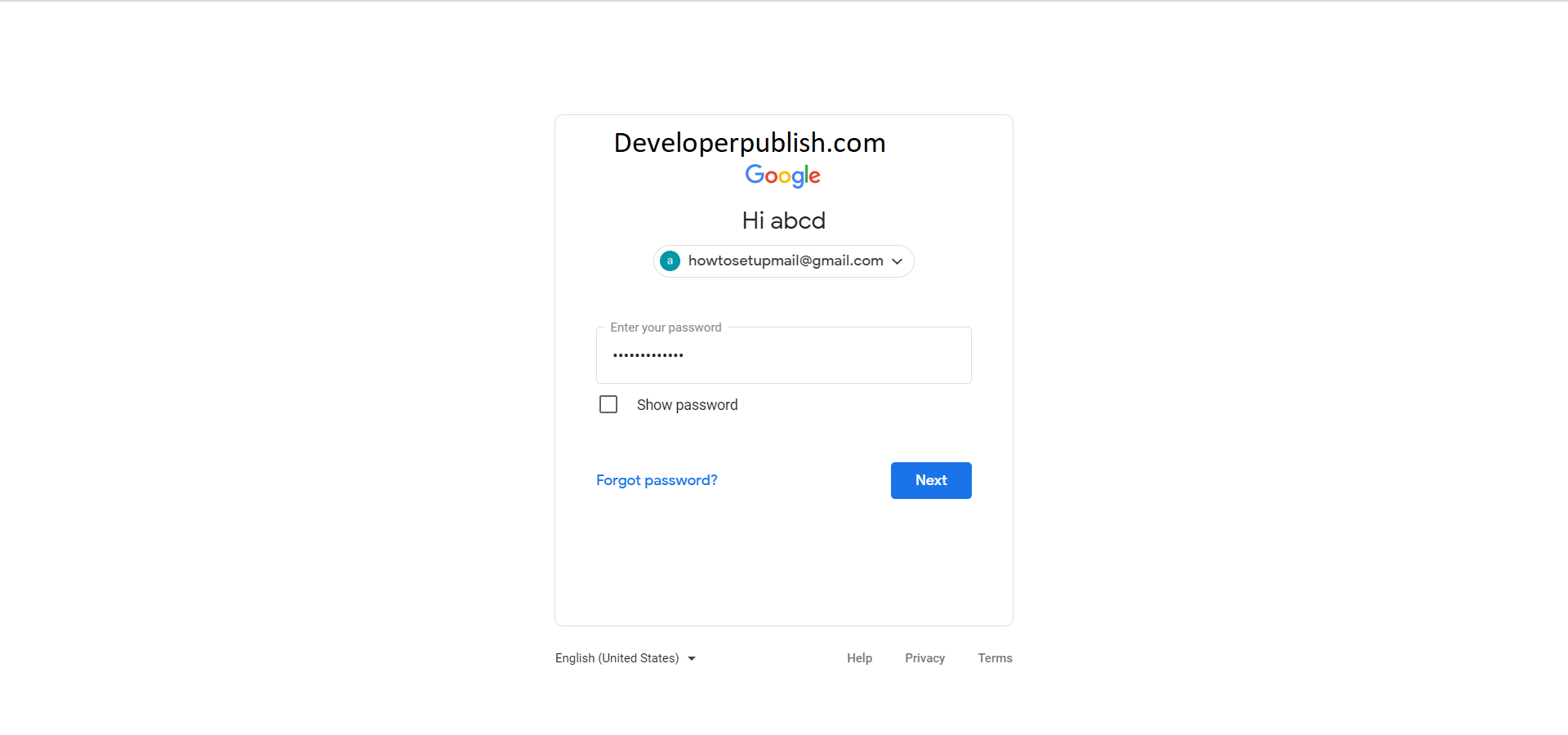
Setup Gmail Account
  • You will land up on your Gmail page and you can see all your emails and other promotions here.

How to Sign-out of Gmail account?

  • To sign out of your Gmail account, click your account profile at the right top corner of your Gmail page.
Setup Gmail Account
  • Scroll down and click sign-out.

Gmail settings and its features

  • Click the settings icon in the top right corner.
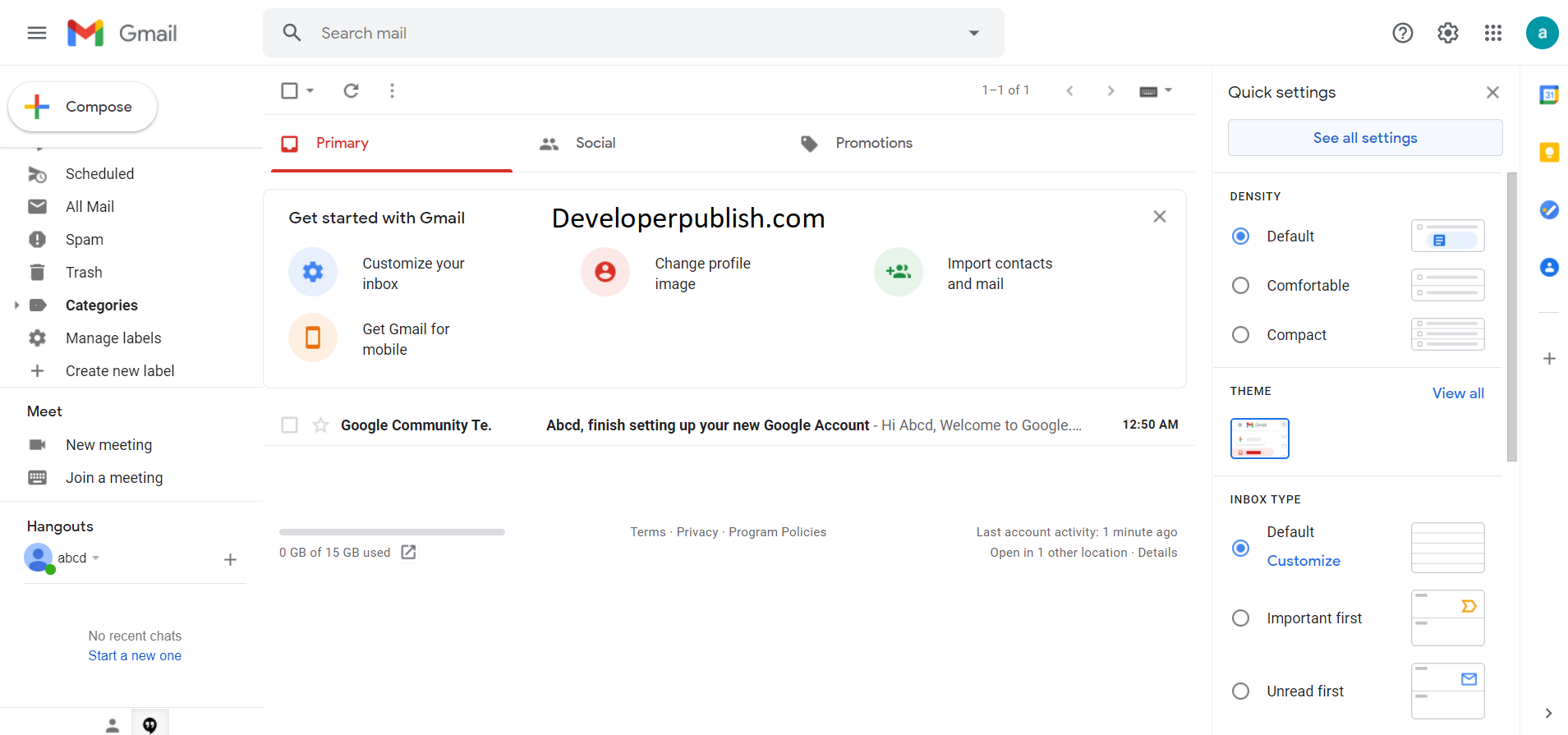
Setup Gmail Account
  • Click “see all settings” on the top.
Setup Gmail Account
  • The new screen shows all the advanced setting features available in Gmail.

Let’s see some of the features briefly.

  • In the general tab, you can change your language, phone numbers, signatures, etc.
  • Theme tab, you can change or set a theme for your Gmail account.
  • In the filters and blocked addresses tab, you can add filters to your incoming emails and block email addresses.
  • There are many other features that are to be explored, take your time and explore the features.

How to Add contacts in Gmail ?

You can add contacts in Gmail by following the below steps.

  • In Gmail, open the email from the sender you want to add to your contacts.
  • Click the three dots icon.
  • Click Add to Contacts list
  • Your contact will be saved instantly.

 How to add contacts in Gmail using Google contacts?

  • In Gmail,  click on the drop-down button for the apps menu
  • In the apps menu, click on “Contacts” to open your Google Contacts page.
  • Click on “Create contact.”
  • Enter the required contact information
  • Click on “Save” to add the person to your contacts list.

How to Import Mail and Contacts from Other Accounts in Gmail?

To get started, log in to your Gmail account where want to migrate all your old emails to,

  • Click “Settings.”
  • Click the “Accounts and Import” tab and then click “Import Mail and Contacts.”
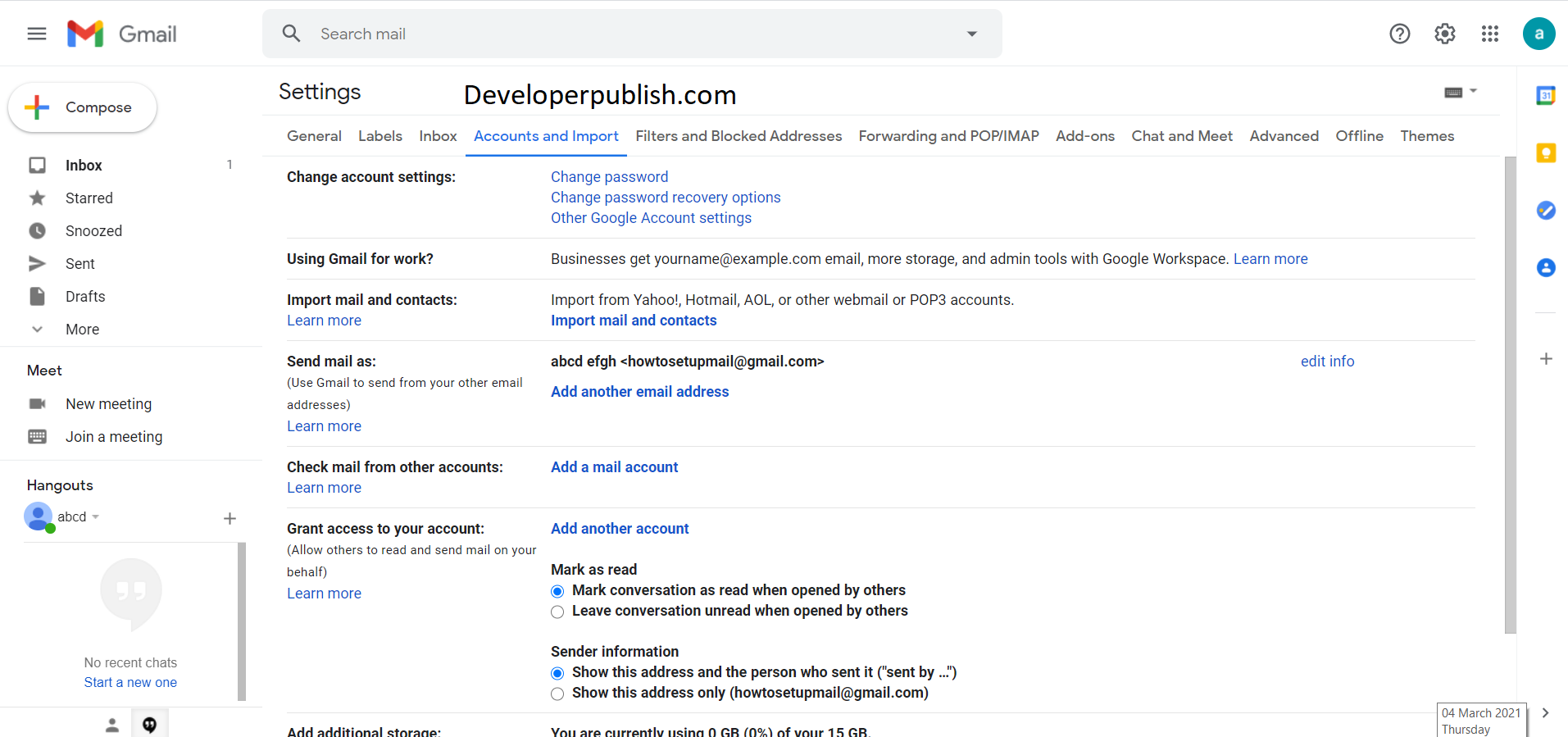
Setup Gmail Account
  • A new window will open. Enter your email address in the field provided and then click “Continue.”
  • By using this service, you agree to the terms of use and privacy policy of ShuttleCloud. Read over them and then click “Continue.”
  • A new window will open. Enter your credentials into the sign-in page to continue to the next step.
  • Based on the email service you used, you need to give the tool different permission to access your email. Click “Yes.”
  • If the app has successfully gained access to your email, close the window to continue.
  • After you close the second window, you get to choose what information gets imported into your Gmail account. Tick all the boxes that pertain to you and then click “Start Import.”
  • Click the button, the tool then begins to migrate things into your Gmail. Click “OK” to finish up, and then close the window.

And this is how you use your Gmail account efficiently.

Related

Tags: Gmail account Gmail tips Setup Gmail
Share on
Share on Facebook Share on Twitter Share on Pinterest Share on Linkedin Share on Reddit Share on Email
Gogul Raju November 11, 2024
Previous Article SQL Server Error Msg 28613 – Transaction Coordination Agent is active. This is an informational message only. No user action is required.
Next Article Visual Studio Source Control Plug-in API Error – SCC_E_FILENOTCONTROLLED

Leave a Review

Cancel reply

Your email address will not be published. Required fields are marked *

Please select a rating

Recet Posts

  • Oracle Error ORA-24328: illegal attribute value
  • Oracle Error ORA-01346: LogMiner processed redo beyond specified reset log scn
  • SQL Server Error Msg 1459 – An error occurred while accessing the database mirroring metadata. Drop mirroring (ALTER DATABASE database_name SET PARTNER OFF) and reconfigure it.
  • MySQL Error MY-010296 – ER_X509_CANT_READ_CA_KEY
  • MySQL Error MY-010588 – ER_RPL_SLAVE_READ_INVALID_EVENT_FROM_MASTER

Recent Jobs

  • Senior Chaos Engineer

    • UK
    • Goodnotes
    • Full Time (Experienced)
  • Internship Programme, Private Client Tax – Beaconsfield (July 2026)

    • UK
    • S&W Group
    • Internship
  • ML Quality Intern

    • Cambridge, UK
    • ARM
    • Internship
  • Automotive Quality Intern

    • Cambridge, UK
    • ARM
    • Internship
  • Technical Project / Program Manager

    • Anywhere
    • ARM
    • Full Time (Experienced)
  • Electronics Engineer

    • Oxford, UK
    • Archangel Lightworks
    • Full Time (Experienced)
  • Enterprise Solutions Engineer

    • London, UK
    • Omnea
    • Full Time (Experienced)
  • Head of EMEA, Global Affairs

    • UK
    • OpenAI
    • Full Time (Experienced)
  • Head of Quantum Hardware

    • Cambridge, UK
    • Nu Quantum
    • Full Time (Experienced)
  • Senior Engineering Manager (ML Infrastructure), London

    • London, UK
    • Isomorphic Labs
    • Full Time (Experienced)
  • How to Mark an Entire Gmail Inbox Emails as Read?
  • Gmail - An Introduction
  • Responding to Emails in Gmail
  • Gmail - Managing Your Emails
  • How to Auto-Forward Emails From Specific Senders in Gmail?
  • How to Find All Emails with Large Attachments using Gmail Size Search?
  • Gmail - Sending Emails
  • How to Unsend an email in Gmail?

Archives

  • December 2024
  • November 2024

Tags

c# C# Compiler Errors C# Programs C++ examples C programs csharp DB2 Errors Delphi Errors Download Excel Excel 2016 Excel Automation excel functions excel tips excel tutorials Excel VBA Functions in Excel how to HPE NonStop SQL/MX Java examples Microsoft Microsoft Excel MS Office MySQL Errors Oracle Errors Outlook Errors PolarDB for PostgreSQL Python examples python programs SQL Server SQL Server Errors Sybase Error Message tips tricks troubleshoot Visual Studio Visual Studio 2012 Win32 Windows 11 Windows 11 tutorials Windows BSOD Errors windows phone windows phone 8 Windows Store wp8

You Might also Enjoy

How to Mark an Entire Gmail Inbox Emails as Read?
Gmail

How to Mark an Entire Gmail Inbox Emails as Read?

December 1, 2024
Gmail

Gmail – An Introduction

November 21, 2024
Gmail

Responding to Emails in Gmail

November 20, 2024
Gmail

Gmail – Managing Your Emails

November 18, 2024
Load More

[thim_ekit id=”8920″]

  • Content Writing
  • Blogging
  • General
  • Analytics
  • How To
  • .NET
  • ASP.NET
  • Delphi
  • Excel
  • Outlook
  • Powerpoint
  • OutSystems
  • PowerShell
  • JavaScript
  • Windows
 

Loading Comments...