
Windows Mobile is a Mobile OS from Microsoft that is being used in the smartphones .
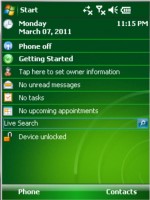
The Different versions of Windows Mobiles include
- Pocket PC 2002
- Pocket PC 2003
- Windows Mobile 5
- Windows Mobile 6
- Windows Mobile 6.1
- Windows Mobile 6.5
- Windows Phone 7 .
With different flavours of Windows Mobile with touch screens / non touchscreen devices that were / are available what are the Development IDE’s / platforms that are used .
Windows Mobile Developers have several options for developing and deploying their Apps .These include
- Embedded VC++ for Developing Native Applications for Windows Mobile 5 or earlier in C++ .
- Visual Studio 2003 for Windows Mobile 5 or later / Pocket PC 2003 that runs on Compact Framework 1.1 .
- Visual Studio 2005 for Windows Mobiles targetting the Compact Framework 2.0 .
- Visual Studio 2008 for Windows Mobiles targetting the Compact Framework 2.0 / 3.5 . You might also require to install the Windows Mobile 6 SDK’s seperately as these SDK’s does not come out of the box with VS 2005 / 2008 .
- Visual Studio 2010 for Windows Phone 7 . This is silverlight based than Winform based. Note that Visual Studio 2010 does not support Windows Mobile 6.5 and earlier versions .
Other Alternative Development environments include Lazarus ( for Delphi / Object Pascal ) and NSBasic .
The list never ends . There are still quite a few more IDE available for Developing Windows Mobile Apps which is bound to be more challenging for the Developers .
One thing for sure is that the Developers should make sure that they know what Device they are targetting ( Touch screen WM / Non touch screen WM / Windows Phone 7 ) and then choose the right IDE / Development platform .